
No Credit Card Required
Google Sheets Pro Integration
For WPForms
Seamlessly connect your WPForms with Google Sheets and automate your workflow. With the Google Sheets Pro Integration addon, every form submission can be instantly sent to a Google Sheet—no manual work required. Perfect for tracking leads, collecting data, and organizing submissions in real time.
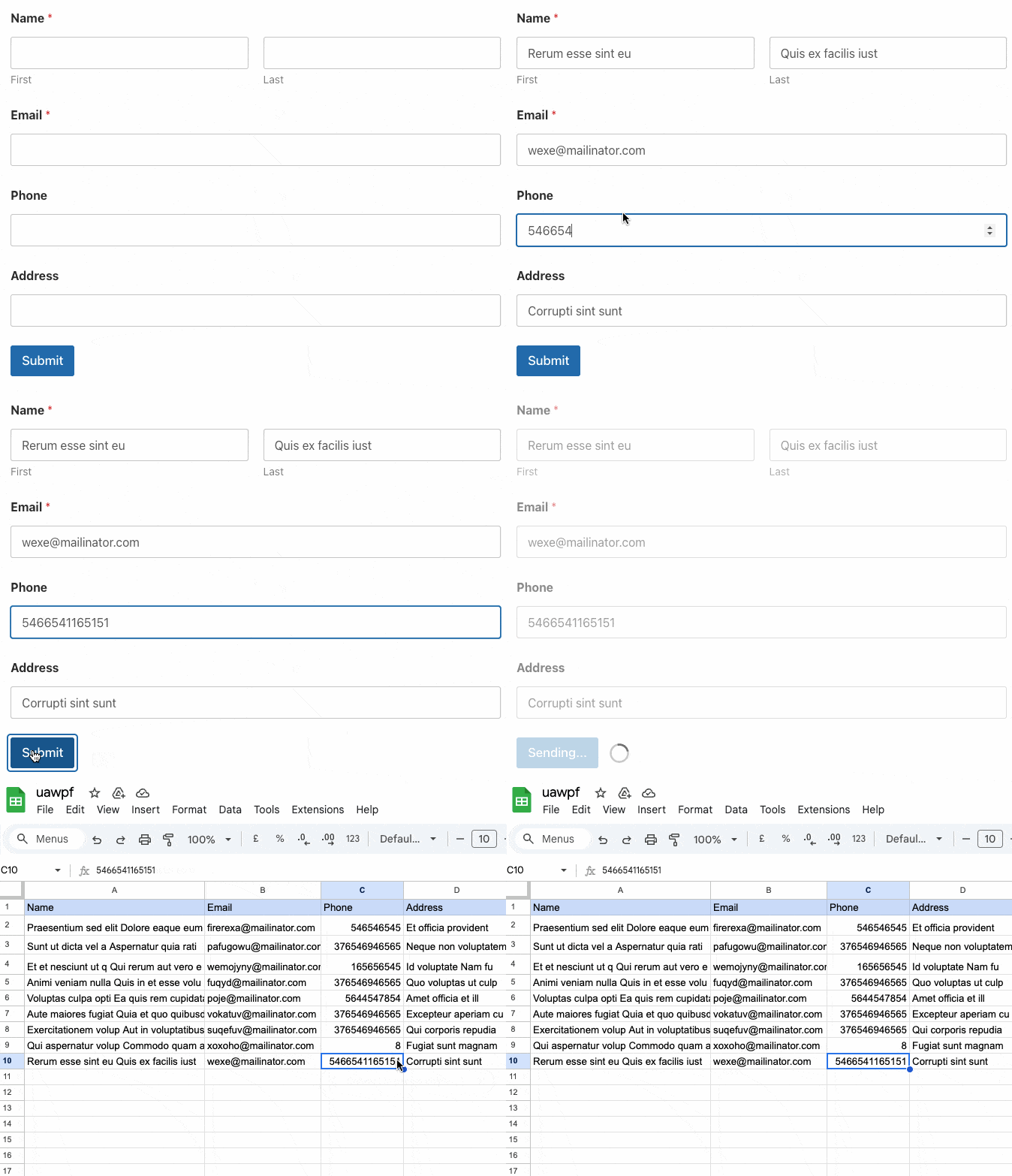
Sync Your WPForms Submissions to Google Sheets Automatically
Try our Google Sheets Pro Integration
for WPForms
Take your WPForms workflow to the next level with the Google Sheets Pro Integration addon. Automatically send every form submission to your Google Sheets in real time—no manual copy-pasting required. Easily map form fields to sheet columns, manage multiple forms and sheets, and keep your data organized and accessible.
Automatic Form Submission Sync
Send every WPForms submission directly to your Google Sheets in real time—no manual copy-pasting needed.
Custom Field Mapping
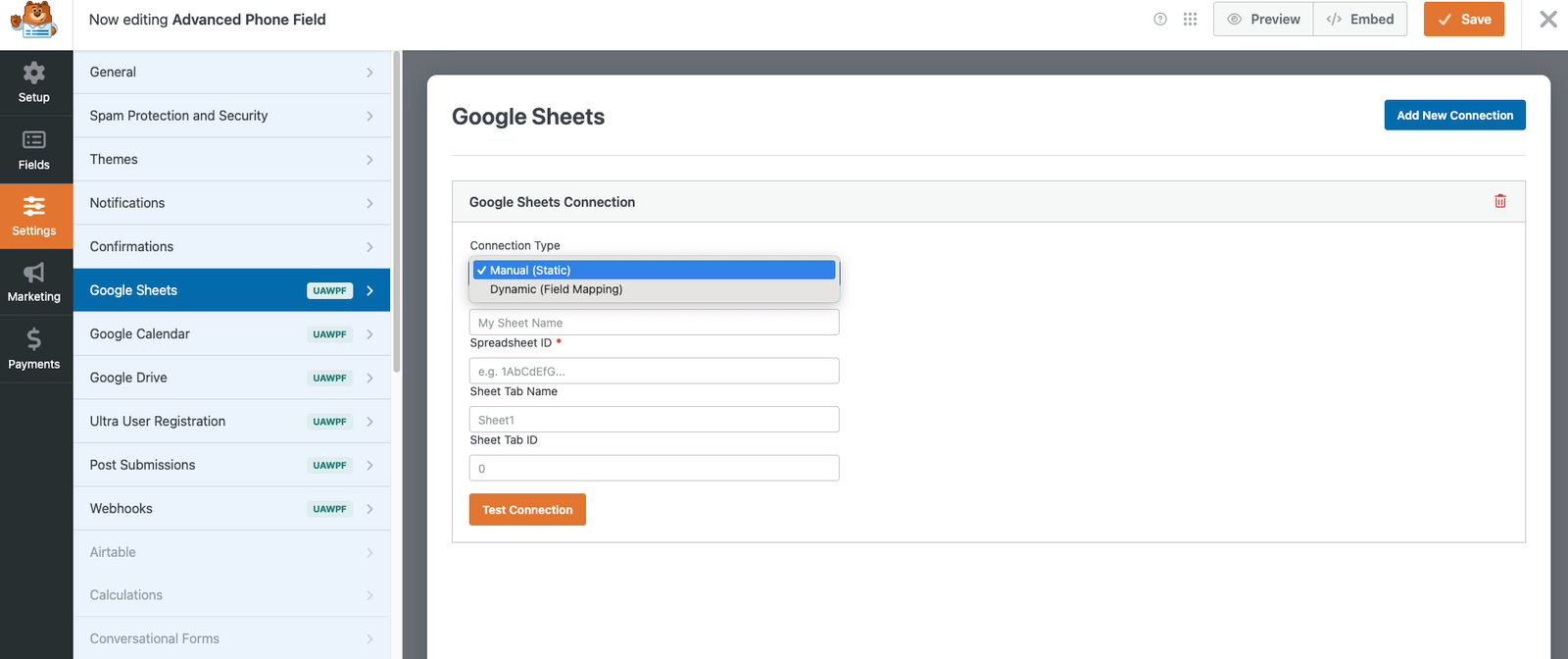
Easily map WPForms fields to specific columns in your Google Sheet for perfectly organized data.
Multiple Forms & Sheets Support
Connect multiple forms to multiple Google Sheets and manage all your submissions from one place.
Real-Time Updates & Error Handling
Stay informed with instant updates and error notifications, ensuring your data is always accurate and reliable.
Click to Enlarge
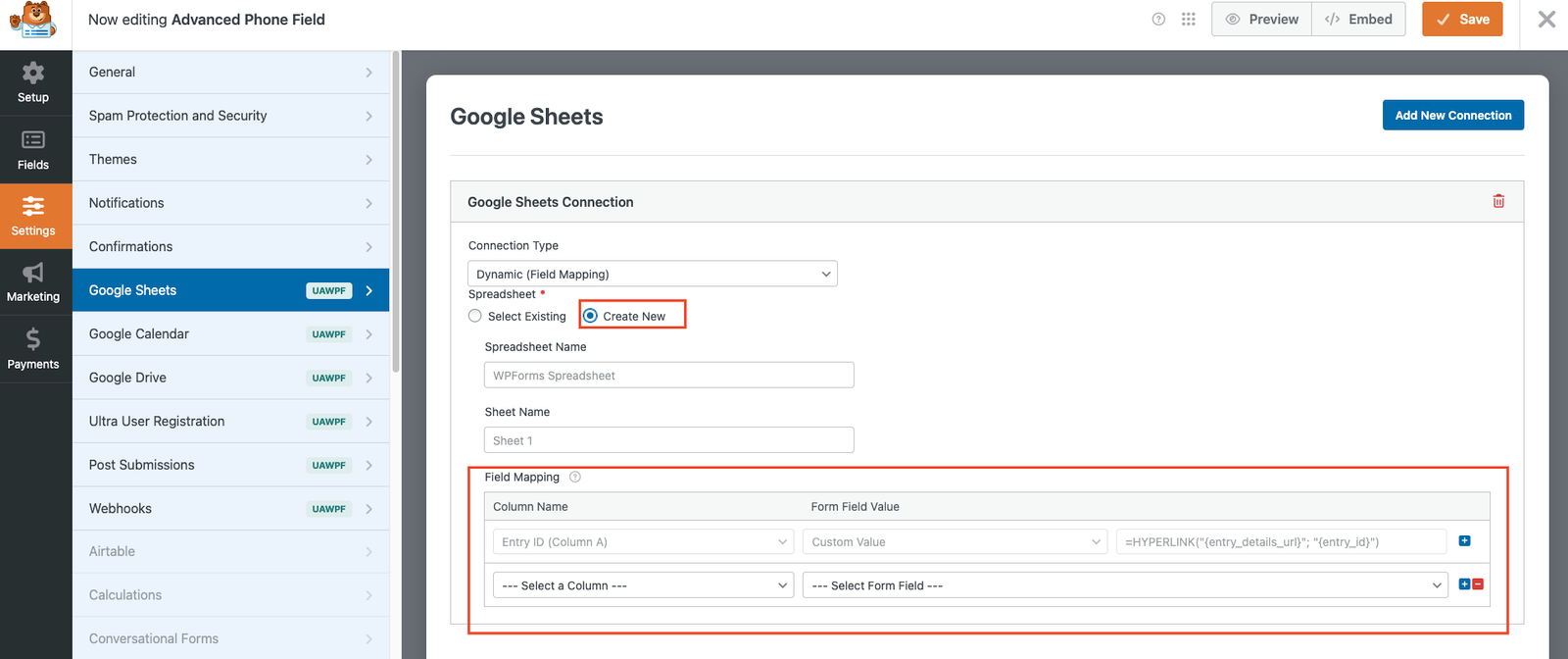
A Sneak Peek of the Backend Editing Panel
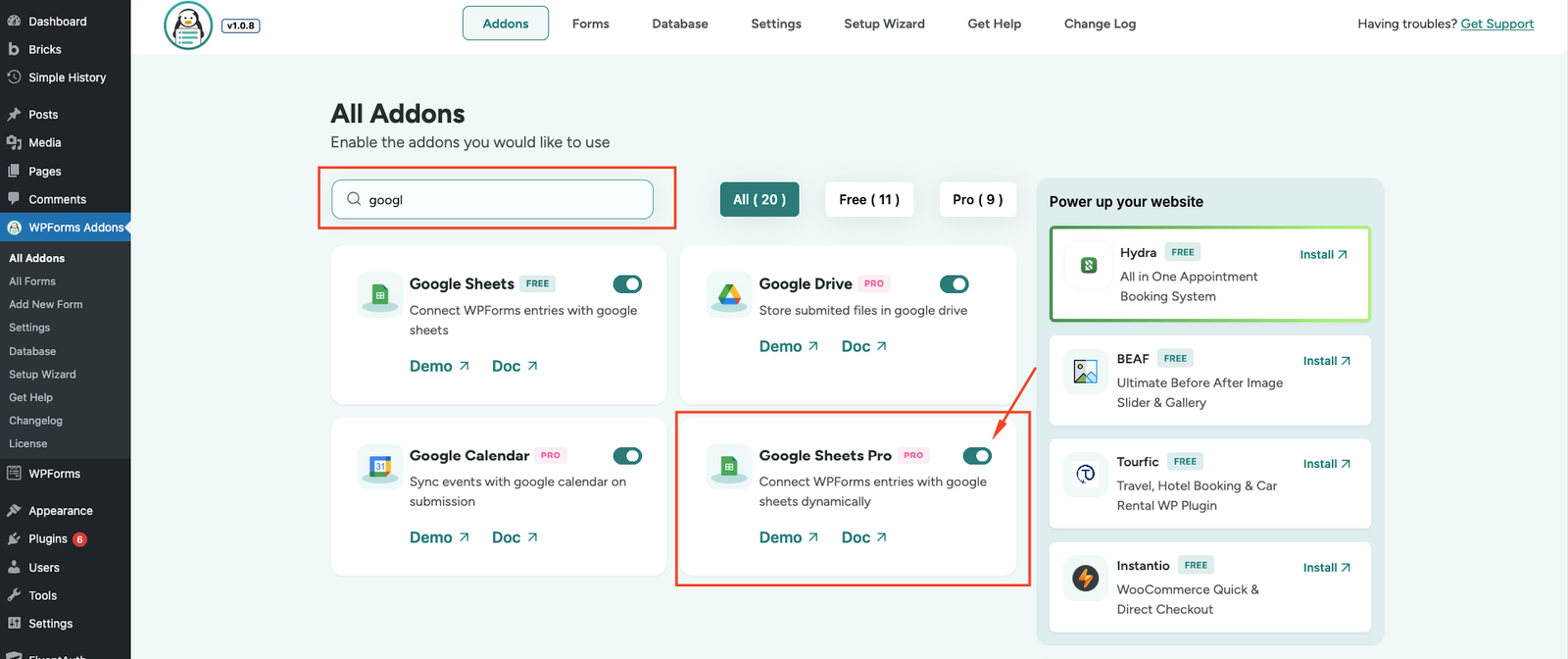
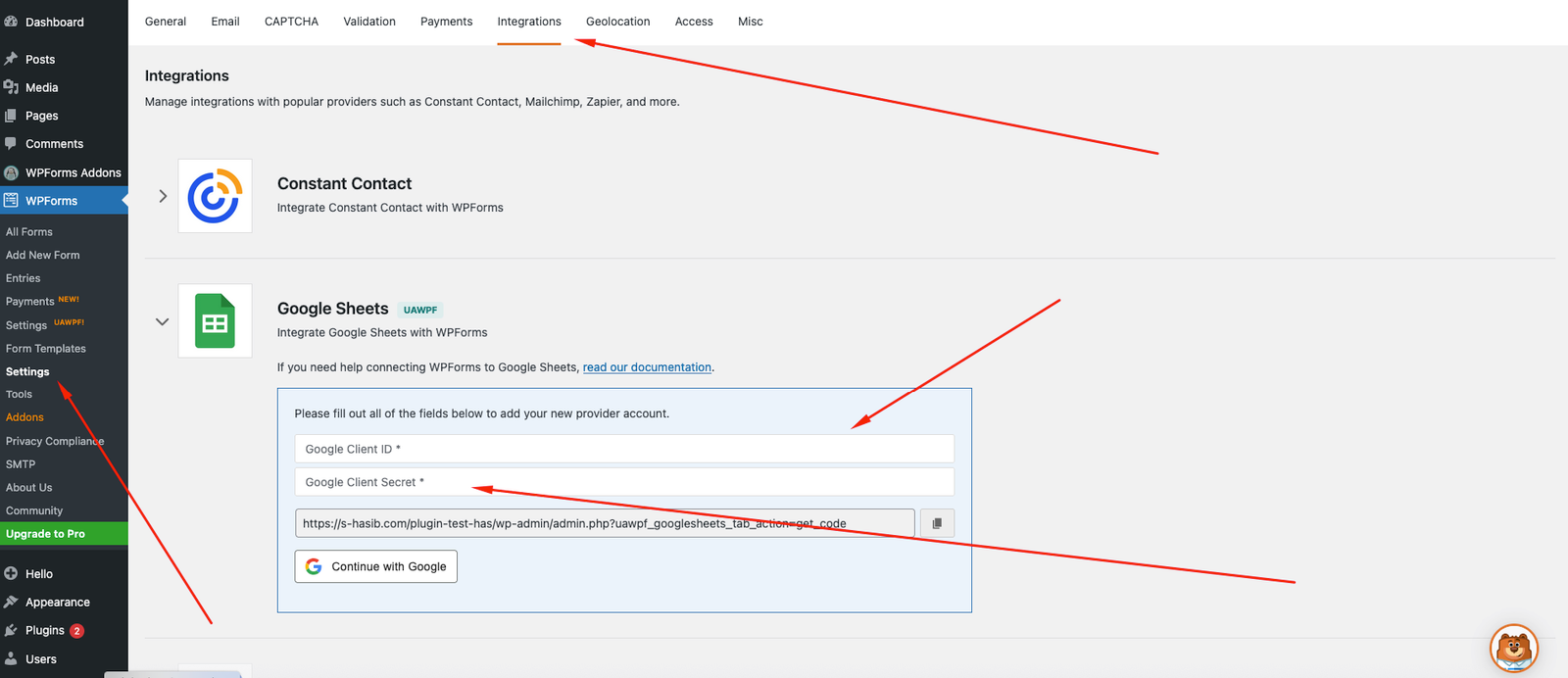
Explore the clean, intuitive backend of Ultra Addons Google Sheets Integration for WPForms. Connect your sheet, map form fields, and customize settings in just a few clicks. Enjoy a setup experience designed for speed, accuracy, and flexibility.
People Also Asked...
Great features on the plugin! Even in the free version.
The best support I have ever came across. Thank you
Joynal for you help
The best support I have ever came across. Thank you
Joynal for you help

scribnet (@scribnet)

The support from the team has been incredible, they
have listened to our needs, worked out solutions, and
implemented them within the plugin very quickly.
have listened to our needs, worked out solutions, and
implemented them within the plugin very quickly.
mtgagents2021 (@mtgagents2021)
How do I connect WPForms to my Google Sheet?
Simply authenticate your Google account in the plugin, select your sheet, and map your form fields to the corresponding columns. It only takes a few clicks.
Can I sync multiple forms to different Google Sheets?
Yes! You can connect multiple WPForms to multiple Google Sheets, allowing you to organize submissions from each form separately.
Are submissions updated in real time?
Absolutely. Every form submission is instantly synced to your Google Sheet, ensuring your data is always up to date.
What happens if there’s an error while sending data?
The addon includes error handling and notifications, so you’ll be alerted immediately if a submission fails, ensuring no data is lost.
Discover More Powerful Features!
Love this feature? You’ll be pleased to know that there’s a whole range of other powerful addons which works perfectly with our WPForms Google Sheets Addon.

Website / URL
Here goes your text ... Select any part of your text to access the formatting toolbar.
Demo
File Upload Field
Easily allow users to upload images, documents, or any file type directly through your WPForms — simple, secure, and flexible.
Demo
Database addon
The Database addon helps store form data, view data in the admin backend, and export data in CSV format.
Demo
Multistep Addon
Create stunning multi-step forms with WPForms. Ideal for long forms and surveys.
Demo
Repeater Field
With this addon, you can add Repeatable Fields to WPForms. You can add all kinds of fields from text, files, checkboxes, radio buttons, textarea etc.
Demo
Mailchimp Addon
A key feature of Mailchimp Pro is the ability to add an acceptance checkbox to your forms. It will give users the choice to opt-in to receiving emails
DemoWe need your help!
Love this feature? You’ll be pleased to know that there’s a whole range of other powerful addons which works perfectly with our WPForms Database Addon.