
No Credit Card Required
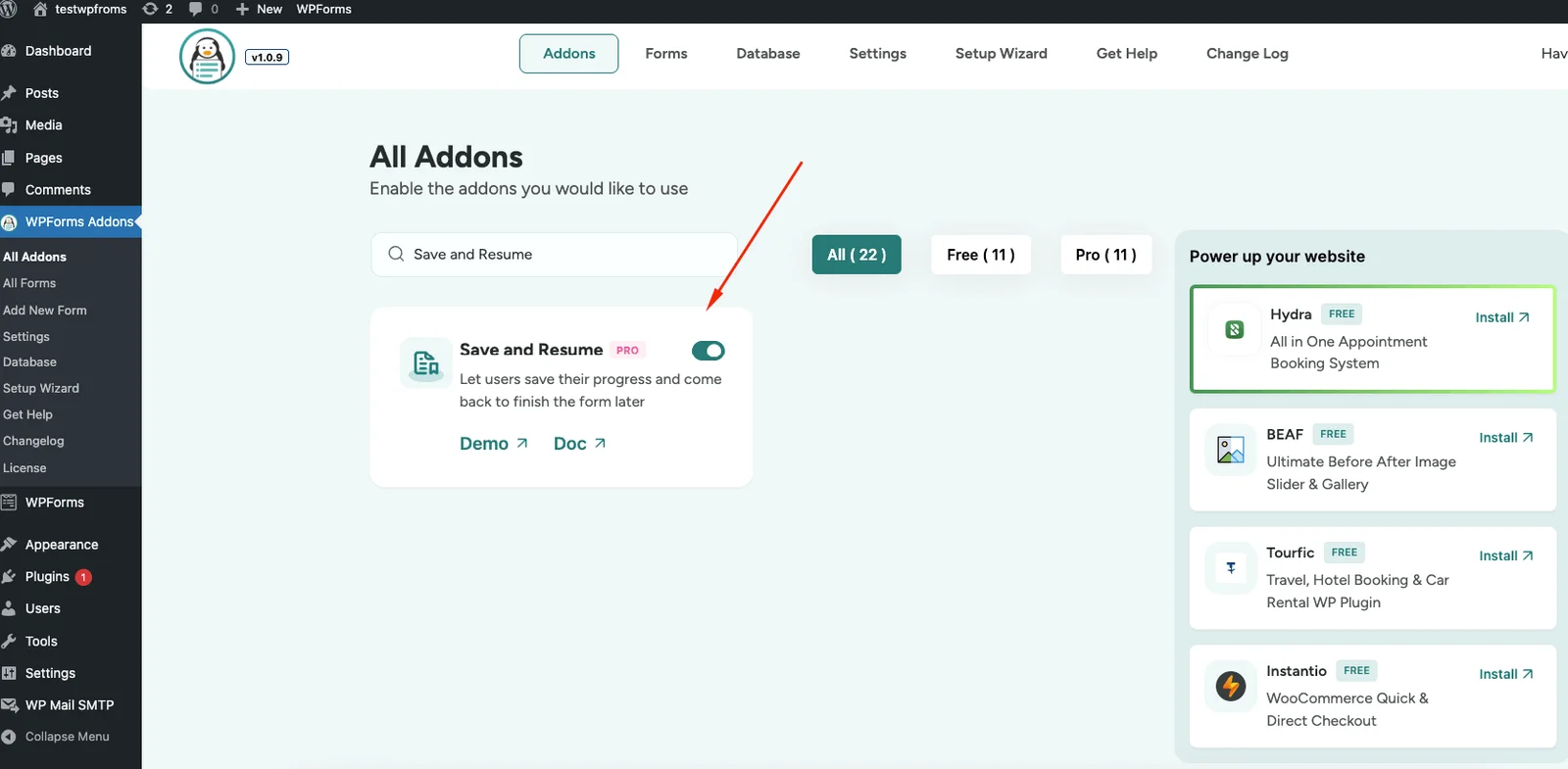
Save and Resume For WPForms
Let users save their progress and continue submitting forms later with our Save and Resume Addon for WPForms — without losing entered data. Perfect for long forms, applications, surveys, registrations, and complex workflows where users need flexibility and convenience.
Stop Losing Form Submissions Halfway
Try Save and Resume Addon for WPForms
Allow users to pause and return to your forms anytime with a secure resume link. No more abandoned submissions. No frustration. Just a smooth, user-friendly form experience that adapts to real-life interruptions.
Save and Continue Later
Users can save their progress at any point and resume later using a unique secure link. Ideal for long or detailed forms that take time to complete.
Resume from Any Device
Users can resume their form from any device using the saved link, making the experience seamless across desktop, tablet, and mobile.
Secure Resume Links
Each resume link is unique, private, and automatically expires after 30 days for enhanced security.
Email Resume Link
Optionally send the resume link directly to the user’s email with a customizable message for clarity and trust.
Disclaimer Page Support
Display a disclaimer page before saving, informing users how their data will be stored and protected.
Custom Confirmation Page
Show clear instructions after saving the form so users know exactly how to resume later.
Click to Enlarge
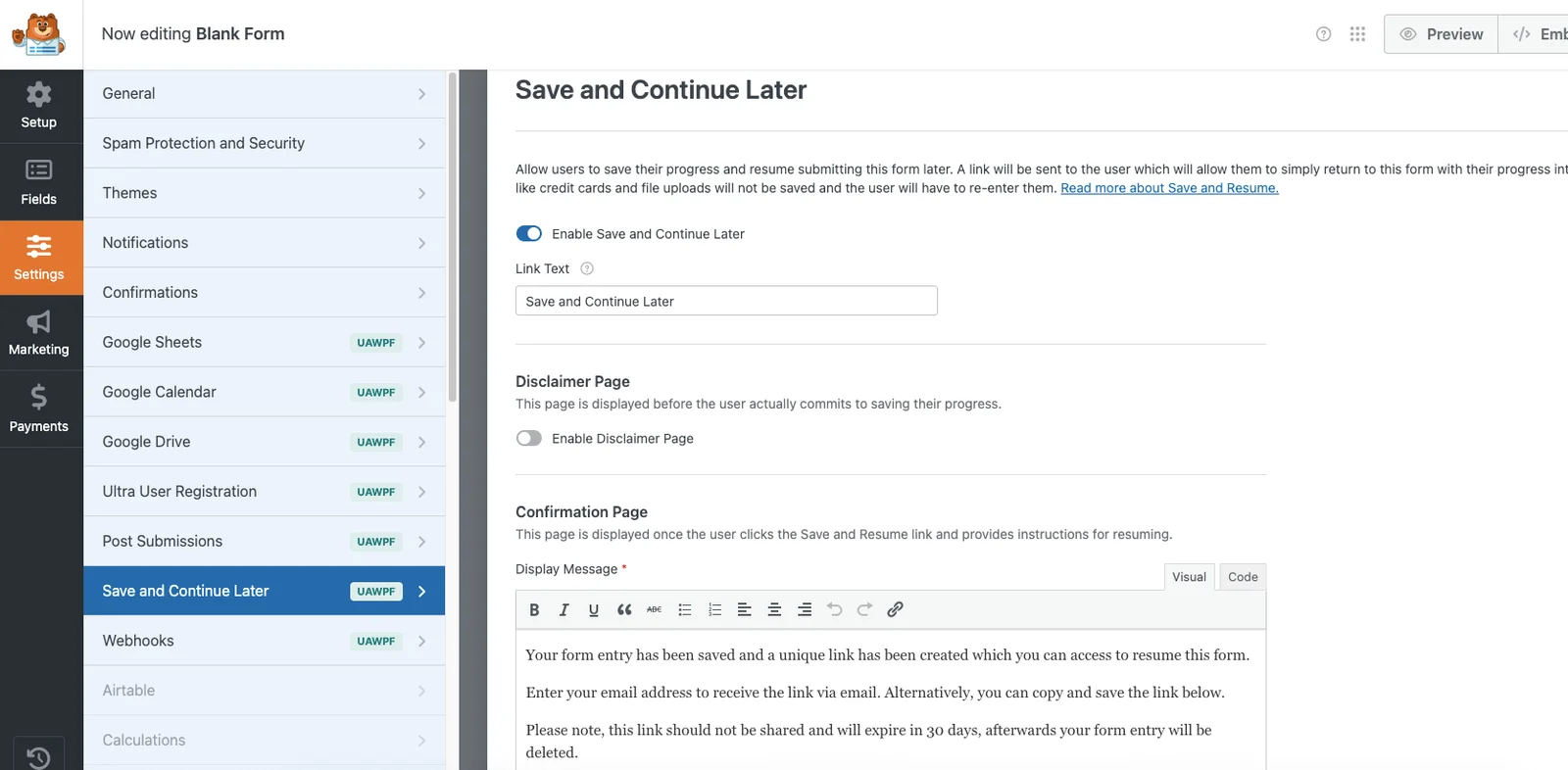
A Sneak Peek of the Save & Resume Settings Panel
Explore the clean and intuitive Save & Resume settings inside WPForms. Enable saving, customize messages, configure email notifications, and manage resume links in just a few clicks. Designed for simplicity, security, and flexibility.
People Also Asked...
Great features on the plugin! Even in the free version.
The best support I have ever came across. Thank you
Joynal for you help
The best support I have ever came across. Thank you
Joynal for you help

scribnet (@scribnet)

The support from the team has been incredible, they
have listened to our needs, worked out solutions, and
implemented them within the plugin very quickly.
have listened to our needs, worked out solutions, and
implemented them within the plugin very quickly.
mtgagents2021 (@mtgagents2021)
How does Save & Resume work in WPForms?
Users can save their form progress and receive a secure resume link to continue later without losing entered data.
Is sensitive data stored?
No. Credit card details, file uploads, and sensitive information are never saved and must be re-entered.
Can users receive the resume link by email?
Yes. You can enable email notifications and customize the message sent to users.
Do resume links expire?
Yes. Resume links automatically expire after 30 days for security.
What if a user loses their link?
They can use the emailed link or restart the form if the link has expired.
Discover More Powerful Features!
Love this feature? You’ll be pleased to know that there’s a whole range of other powerful addons which works perfectly with our WPForms Database Addon.

Google Drive Integration
Automatically send every WPForms submission directly to your Google Drive. no manual uploading or organizing required.
Demo
Website/URL addon
Website URL field validates and collects only properly formatted links in WPForms forms.
Demo
Database addon
The Database addon helps store form data, view data in the admin backend, and export data in CSV format.
Demo
Multistep Addon
Create stunning multi-step forms with WPForms. Ideal for long forms and surveys.
Demo
Repeater Field
With this addon, you can add Repeatable Fields to WPForms. You can add all kinds of fields from text, files, checkboxes, radio buttons, textarea etc.
Demo
Mailchimp Addon
A key feature of Mailchimp Pro is the ability to add an acceptance checkbox to your forms. It will give users the choice to opt-in to receiving emails
DemoWe need your help!
Love this feature? You’ll be pleased to know that there’s a whole range of other powerful addons which works perfectly with our WPForms Database Addon.
