Our Roadmap
Know What’s Next, Planned, and In Progress! Stay informed. It’s constantly updated in real-time, giving you a clear view of our development journey at every step.



scribnet (@scribnet)

mtgagents2021 (@mtgagents2021)
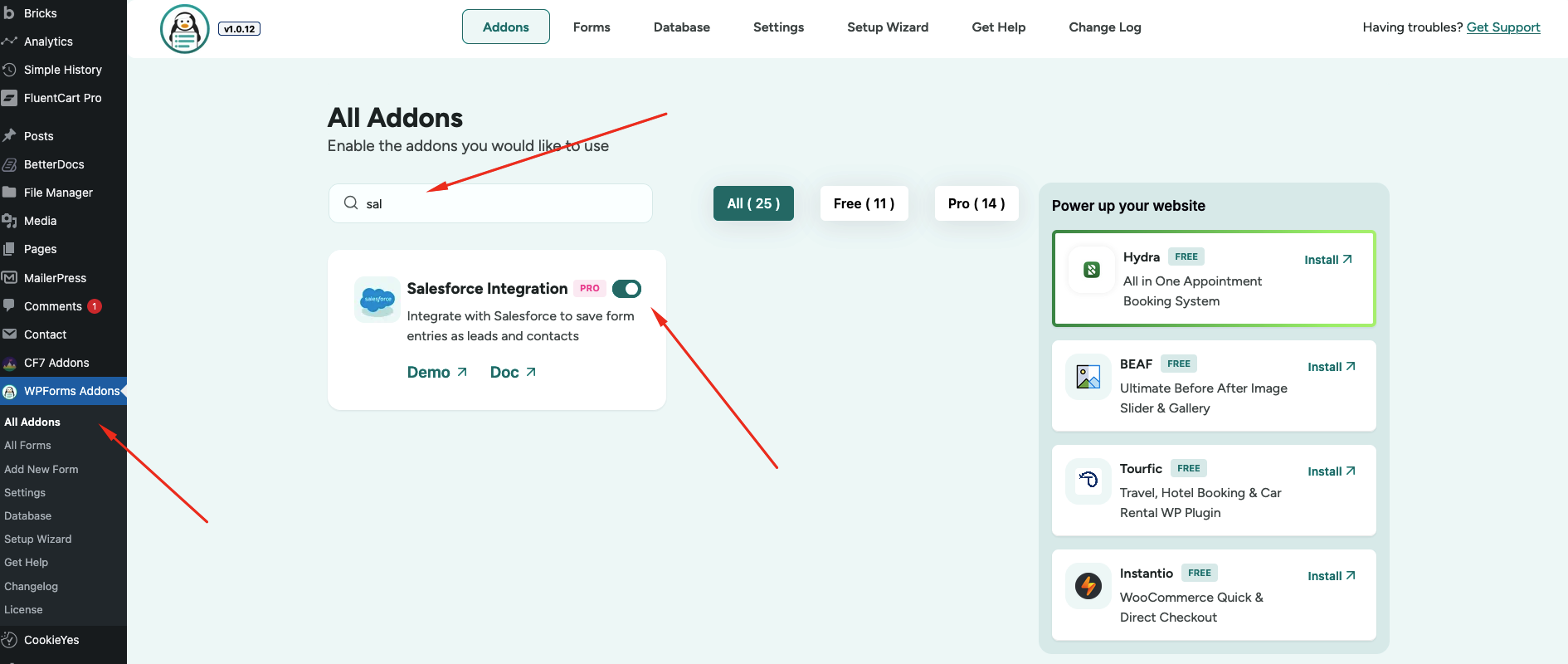
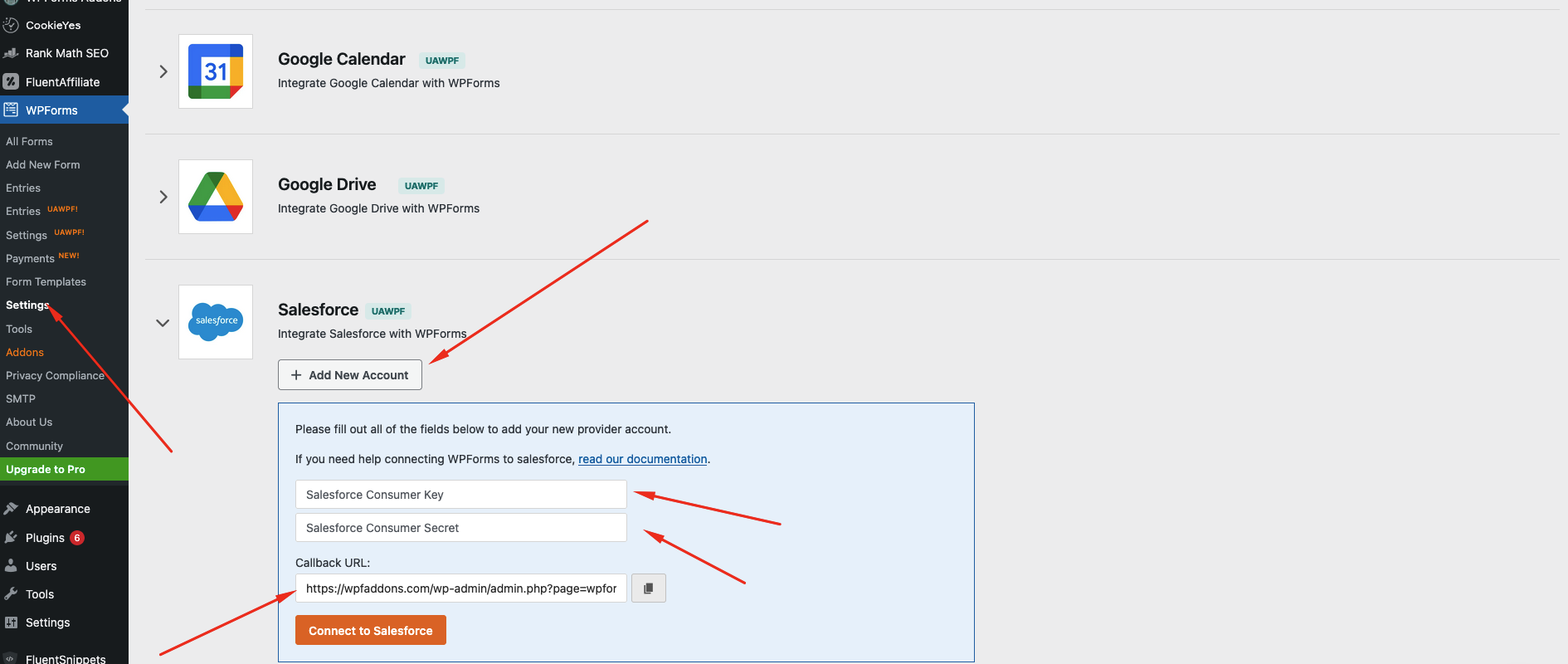
Yes. You need an active Salesforce account to connect with WPForms. The addon uses the Salesforce API to send form data directly to your CRM.
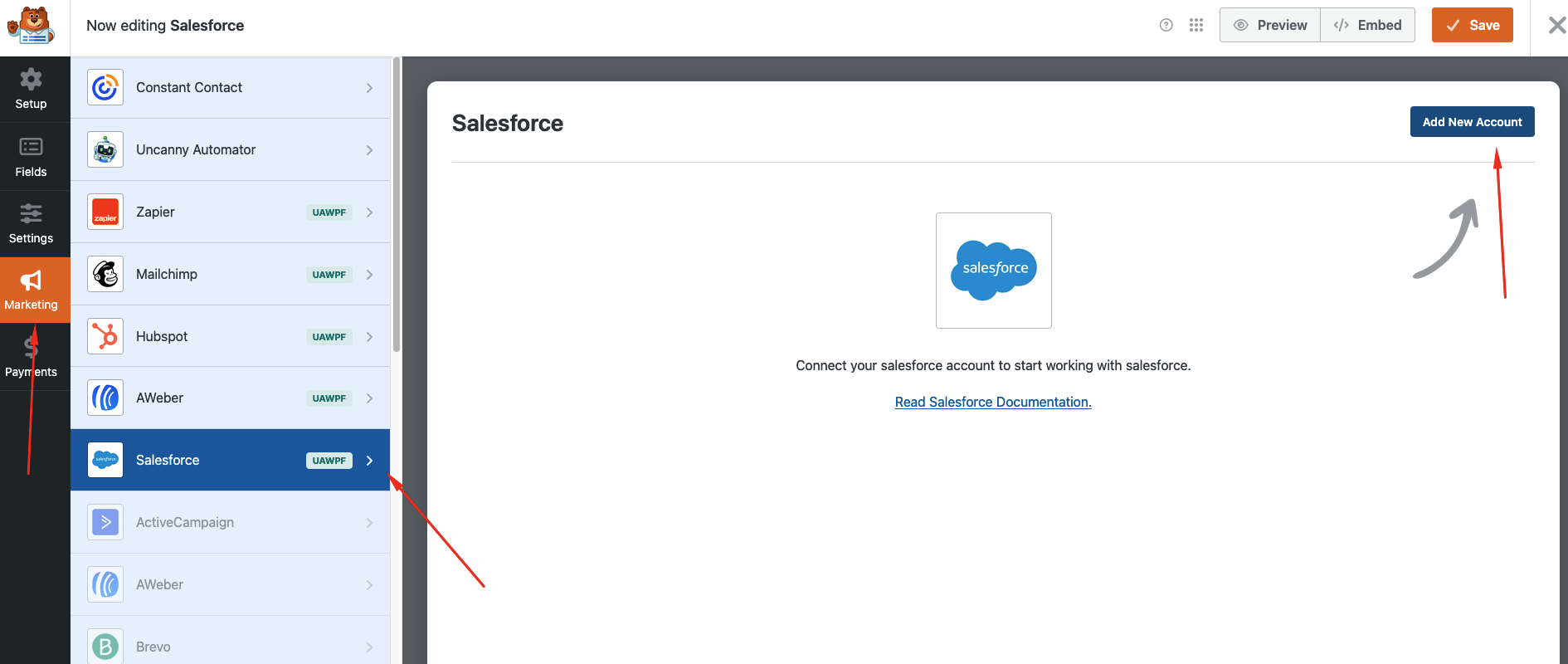
Yes. Every form submission can automatically create a new lead in Salesforce. You can map form fields such as name, email, phone number, and company to the corresponding fields in your CRM.
Yes. The integration supports conditional logic, allowing you to send data to Salesforce only when specific conditions are met within your form.
Absolutely. The addon includes field mapping, so you can connect your custom form fields in WPForms with custom fields inside Salesforce.
Depending on your configuration, you can set rules to create new records or update existing contacts/leads in Salesforce.
No coding is required. The integration is designed with a simple setup interface, allowing you to connect your Salesforce account and map fields directly from the WordPress dashboard.


